Rime 与词库自包含Rime and dictionaries included
安装后直接选全拼、双拼或五笔,不需要先找 YAML 配置。Choose Pinyin, Shuangpin, or Wubi after installation. No YAML setup before your first word.
猫头鹰把 Rime 引擎、输入方案、词库、候选窗和设置收进一个 macOS 输入法。全拼、小鹤双拼、五笔都有图形界面,日常输入与自学习留在本机。Owltype puts the Rime engine, schemes, dictionaries, candidate UI, and settings into one native macOS input method. Pinyin, Xiaohe Shuangpin, and Wubi all have a graphical setup, while everyday typing and learning stay on-device.
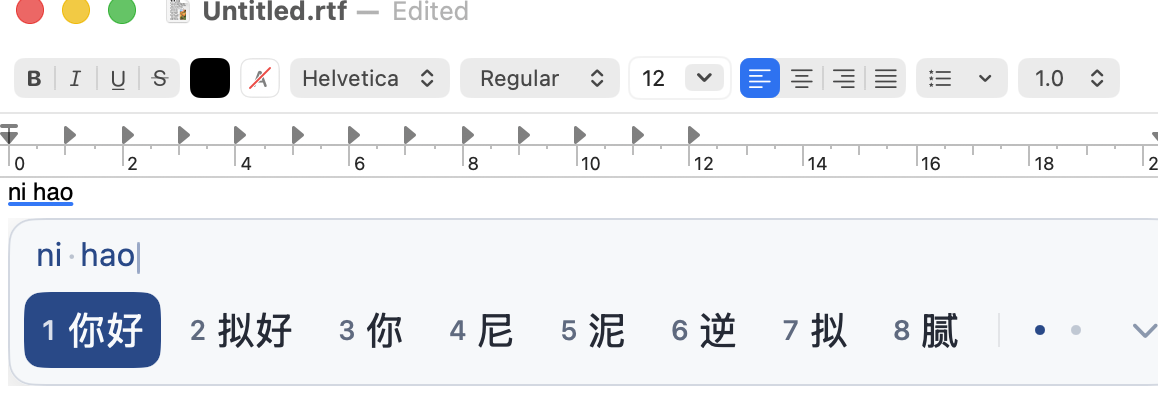
安装后直接选全拼、双拼或五笔,不需要先找 YAML 配置。Choose Pinyin, Shuangpin, or Wubi after installation. No YAML setup before your first word.
记住你的用词习惯,结合上文调整候选顺序;这条输入链留在本机。Learns your vocabulary and reorders candidates from context while keeping the normal typing path on-device.
候选个数、字号、横竖排、简繁和词库都在一处改,适用于所有方案。Candidate count, size, layout, script conversion, and dictionaries live in one UI across every scheme.
候选窗明暗跟随系统,皮肤选中就生效,不用重启输入法。Candidate windows follow system appearance, and theme changes apply immediately without restarting the input method.
选中皮肤即时生效。候选字号、个数、方向与间距也都可在设置里调整。Theme changes apply immediately. Candidate size, count, direction, and spacing are configurable in the same settings app.
设置修改后即时或在后台部署,不用退出当前文档。快捷短语、剪贴板、表情与符号面板也都随输入法提供。Changes apply immediately or deploy in the background without leaving your document. Quick phrases, clipboard access, emoji, and symbols are included too.
按键、组字、候选和词库处理默认在本机完成。Keys, composition, candidates, and dictionaries are processed locally by default.
云端 AI 默认关闭,只在你明确触发后请求。Cloud AI is off by default and runs only after an explicit action.
不上传输入码、候选词、屏幕内容或光标前后文本。Raw codes, candidates, screen contents, and text around the cursor are not uploaded.
可选服务的密钥存在 macOS Keychain。Keys for optional services are stored in macOS Keychain.
最新包已使用 Developer ID 签名、经 Apple 公证,并由 Sparkle 签名保护更新。完整对应源码依 GPL-3.0 提供。The latest package is Developer ID signed, Apple-notarized, and protected by a Sparkle update signature. Complete corresponding source is available under GPL-3.0.
安装时 macOS 会请求管理员授权。安装后到「系统设置 → 键盘 → 输入法」添加「猫头鹰」;如未立即出现,注销后重新登录一次。macOS asks for administrator authorization during installation. Then add Owltype in System Settings → Keyboard → Input Sources; if it does not appear immediately, log out and back in once.